Dave Naylor and I were comparing tools the other day and both agreed the snipping tool in Microsoft Vista is a life/time saver.
It’s available is some of the more advanced versions of vista and can be found in the accessories folder.
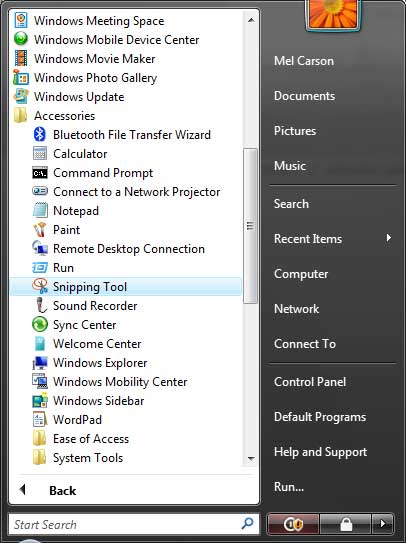
Slip it onto your quick launch menu and it’s ready and waiting when ever you need to grab a quick screenshot.

Once you kick it off just use the cursor to lassoo the bit of the screen you want to grab.
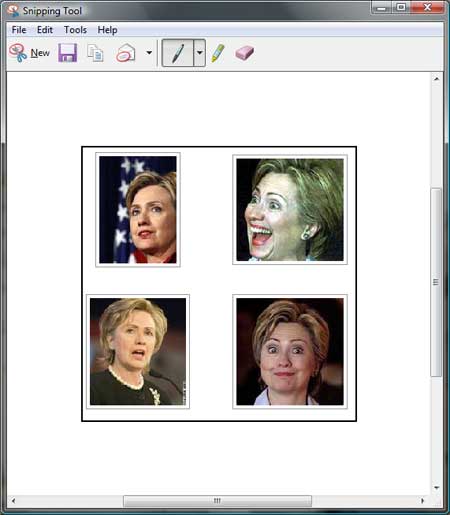
You can quickly email the shot straight from here. Click on the envelope…
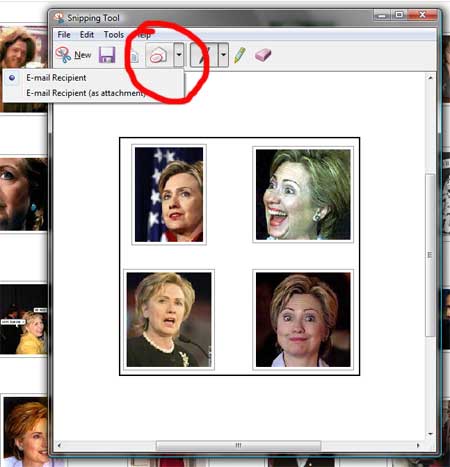
It then opens up in an email and you just add a recipient and send…
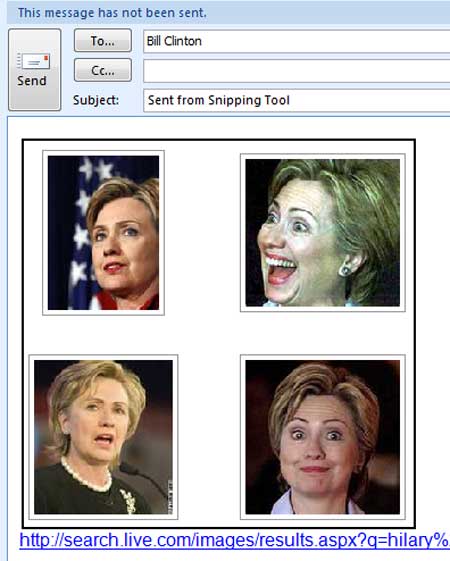
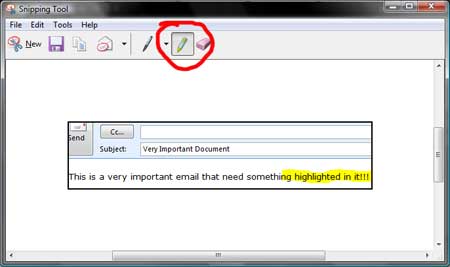
You can highlight stuff in the screenshot before you email it off just to be precise!
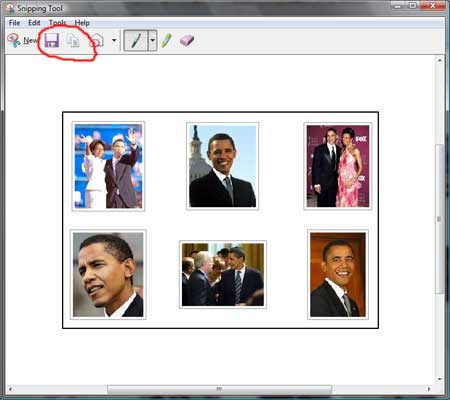
Finally, you can also save really easily AND copy and paste into Word or Powerpoint!
All in all a fabulous little gem which is saving me hours a week, and making it easier for me to irritate my collegues by sending them more stuff than I ever did before 😉
Get more info at Windows Help
Subscribe to the RSS feed or to email updates!
If this site has piqued your interest in hiring Mel, either as a speaker for your event or as a consultant for your business, contact him now to start a conversation about how he can help...
Get in touch with Mel
Mel,
Thanks for the tip,
I prefer to use “Windows + S”, function availble if you have OneNote installed and configured…
Regards,
[…] above is a snip (using the Vista Snipping Tool :-)) from my Gmail account. (Yes I have a Gmail account! I had it before I joined MS – Gotta keep up […]